Cirrux Update – Calendar subscriptions, webhooks and a new spam filter
October 5, 2026
Hi everyone,
Thanks for all the enthusiastic feedback on the calendar that shipped last month. It was a pretty big missing piece for the platform and I’m really glad that we now have it.
In the last few weeks I’ve personally helped people move over their email and other precious data: I can totally understand that it’s a big step to make that change. I’ve helped journalists change their DNS settings and I’ve worked with a team to set up dual delivery from Google to gradually switch over. I also spent time with someone to help them use Cirrux while the rest of their team is still on Outlook. I’m more than happy to do the same for you. Just reach out and I'll talk you through the process.
My goal for Cirrux is both simple and pretty big: build the best workspace in the world. One piece at a time. I’m currently putting Cirrux Docs through testing and if all goes well I’ll start rolling it out to Cirrux Superfans later this week. It works offline, is fully collaborative and the Cirrux CLI (for agents) has complete access to docs as well, so from day 1 you can have your favorite agent help you create, proofread, comment and suggest right into your documents. I think you’ll love it (I’m writing this update in it, actually!).
Let's jump into what’s new, starting with the three biggest ones: calendar subscriptions, webhooks and a new spam filter.
Subscribe to external calendars
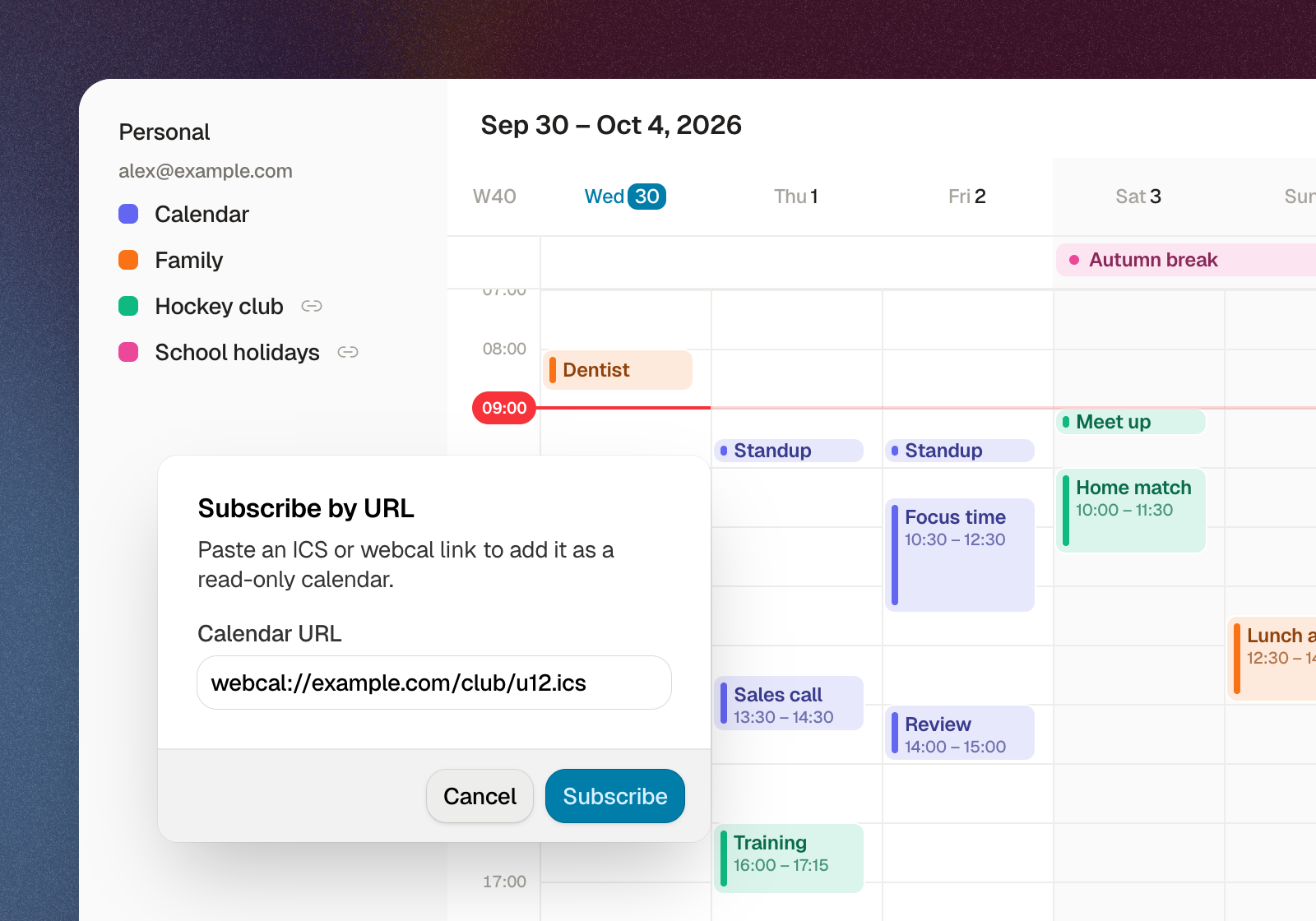
The most common question after the calendar launch was "how do I get the sports calendar / family calendar from a different calendar app / school calendar on here?". You can now. Paste an ICS link in the calendar sidebar and Cirrux subscribes to it. It gets checked for changes regularly, so when the club moves a match, your calendar follows. Two-way sync with Google or Microsoft calendars isn't possible, but this at least gives you a complete view in one place.
Webhooks for incoming email
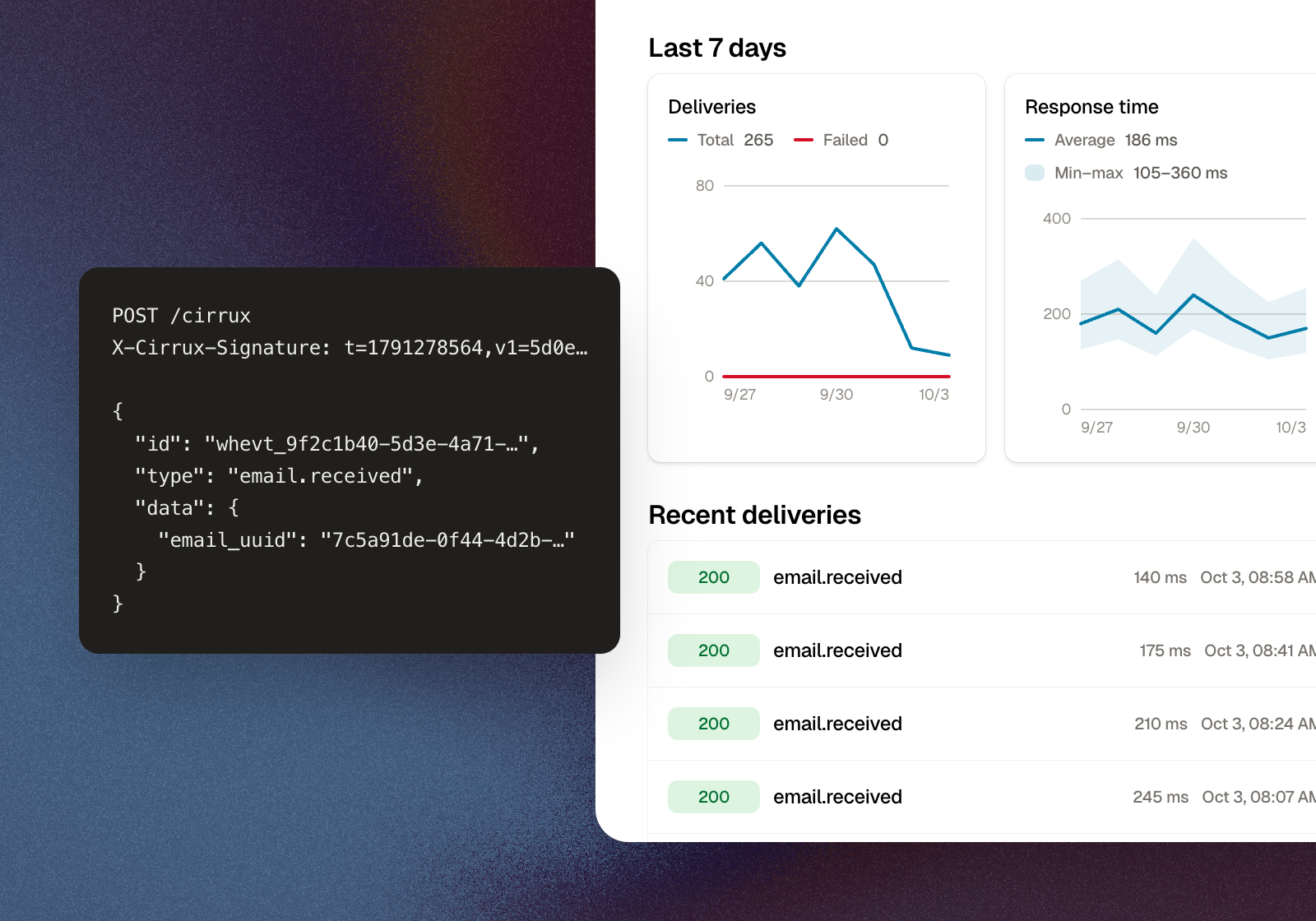
If you want your own systems to do something with incoming mail, like opening a ticket for every email to support@ or pushing invoices into your bookkeeping, you no longer have to poll for it. Workspace admins can register a webhook at admin.cirrux.info: give it a URL, pick the mailboxes, and every email that lands in one of those inboxes triggers a signed request to your server. Your server can then read the full email through the API.
Failed deliveries are retried, and a destination that keeps failing gets disabled instead of piling up. The destination page shows how many deliveries went out over the last week and how fast your server answered. The webhooks guide covers setup and verifying the signature.
A new spam filter
Cirrux was running an in-house spam filter, which I kept tuning and maintaining. It was a super fun project, because I got to learn a ton about how a spam filter actually operates, which things it looks at and all the fun cases that it has to support (email forwards, for example). While it was capturing quite a lot of spam (roughly 20-25% of all incoming email was flagged), it didn’t meet my bar, and I also noticed it in the feedback you sent me.
So a few weeks ago, after doing more research, I decided to run rspamd (an open source spam filter) alongside my current filter, to see how well that performed. Comparing both filters, without doing a ton of tweaking, showed that rspamd captured a lot of spam that previously was not correctly tagged (about 25% of emails you manually moved to spam would have been caught). And even better: about 70% of not-spam email that the old filter flagged in error was correctly marked as not-spam, so fewer missed emails.
The gist: the new filter is better, and it gives more options for tweaking and improving from here. I’m combining it with a hard block/allow list for each mailbox that I’m filling automatically as you move things in/out of spam. There's now a Block/Allow tab in each mailbox's settings where you can see who's on which list and remove entries if needed.
If something still lands in the wrong place, just move it in your client (both IMAP and Cirrux Mail signals are used). That's exactly what I need to improve the filter further!
The CLI can write to your calendar
The Cirrux CLI can now create, update and delete calendar events, including inviting people, changing a single occurrence of a recurring event, and cancelling one. It can also read your addressbooks and contacts, so your AI can look up an email address before it writes a draft. And you can mark an email for auto-archive from the CLI. If you were logged in before, run cirrux logout && cirrux login once to grant the new permissions.
A lot more is coming to the CLI, but do let me know if you miss something. Usually those are pretty easy to add.
Fixes and improvements
- Improvement: The composer now does headings. Use the toolbar, a keyboard shortcut, or just type
#at the start of a line like in markdown. - Improvement: There's an emoji picker in the composer. Type
:to search for one. - Improvement: You can resize and align images in the composer.
- Improvement: The editor tidies up your typography as you type: straight quotes become curly ones, apostrophes become real apostrophes, and two dashes become a dash (if you're into those). Don't like a change? Press backspace right after it and it's undone.
- Improvement: Labels are sorted alphabetically everywhere: the sidebar, label settings, the label and move menus, filter rules and the label pills on emails. They used to show up in the order they were created or imported.
- Improvement: After a bulk action like marking a batch as read, your selection stays, so you can follow up with a second action on the same emails.
- Improvement: In the PDF viewer you can now select text and click links inside the PDF.
- Improvement: Verifying a forwarding address now always includes a PDF attachment. Some bookkeeping systems reject email without one, which made forwarding invoices to them impossible to set up.
- Improvement: Incremental IMAP imports now resync the folder structure first, so new folders on the old server get picked up and deleted ones are skipped. Mail that's already imported into Cirrux is never deleted by an import.
- Improvement: If your subscription isn't active or your domain isn't verified yet, the composer tells you before you hit send, instead of the email getting stuck.
- Fixed: You can email at most 100 people at once, but the app didn't tell you when you went over. It does now.
- Fixed: Search and filters didn't match URLs inside emails. They do now.
- Fixed: @-mentioning someone who was already in Cc or Bcc added them to To as well.
- Fixed: A reply added through the API didn't show up straight away if you had that thread open in Cirrux Mail.
Calendar
- Improvement: The list view respects your start of the week, shows week numbers, highlights weekends (or hides them, if that's your thing) and scrolls endlessly.
- Improvement: In day and week view, events leave a gap on the right, so there's always room to click and create a new event next to them.
- Improvement: The start and end time dropdowns work with the keyboard.
Everything else
- Fixed: Dropping a folder into Drive to upload it was completely broken. It works again.
- Fixed: When a new version of the app came out, the update notifications could pile up. You get one now.
- Improvement: Every help page on cirrux.info has a Copy as Markdown button, handy for pasting into your AI of choice.
What's next
- Cirrux Docs: The big upgrade! Coming soon (Superfans later this week, the rest soon after)
- Sync for Outlook: Still the last big migration path. IMAP, vCard and ICS import already get you moved, but ongoing sync would make it painless.
As always, reply to this email, or use the Telegram and Signal buttons on the website, if something's broken or missing. I read everything.
Have a great week,
Rick